
Model Editor
Double-click a .glb model — in your project or in the built-in preset library — and it
opens as a tab in three panes: a model tree rail on the left, the 3D viewport in the
middle with its view-toggle bar, and the sidebar on the right, whose contents follow the
tree selection: the model as a whole shows Errors & stats, Collision, Trigger
volume, Container interior, Spawn defaults, Optimize and Embedded textures,
while a mesh, material or component row shows the panel for that row.
A save bar sits along the bottom and is the single place anything is committed.
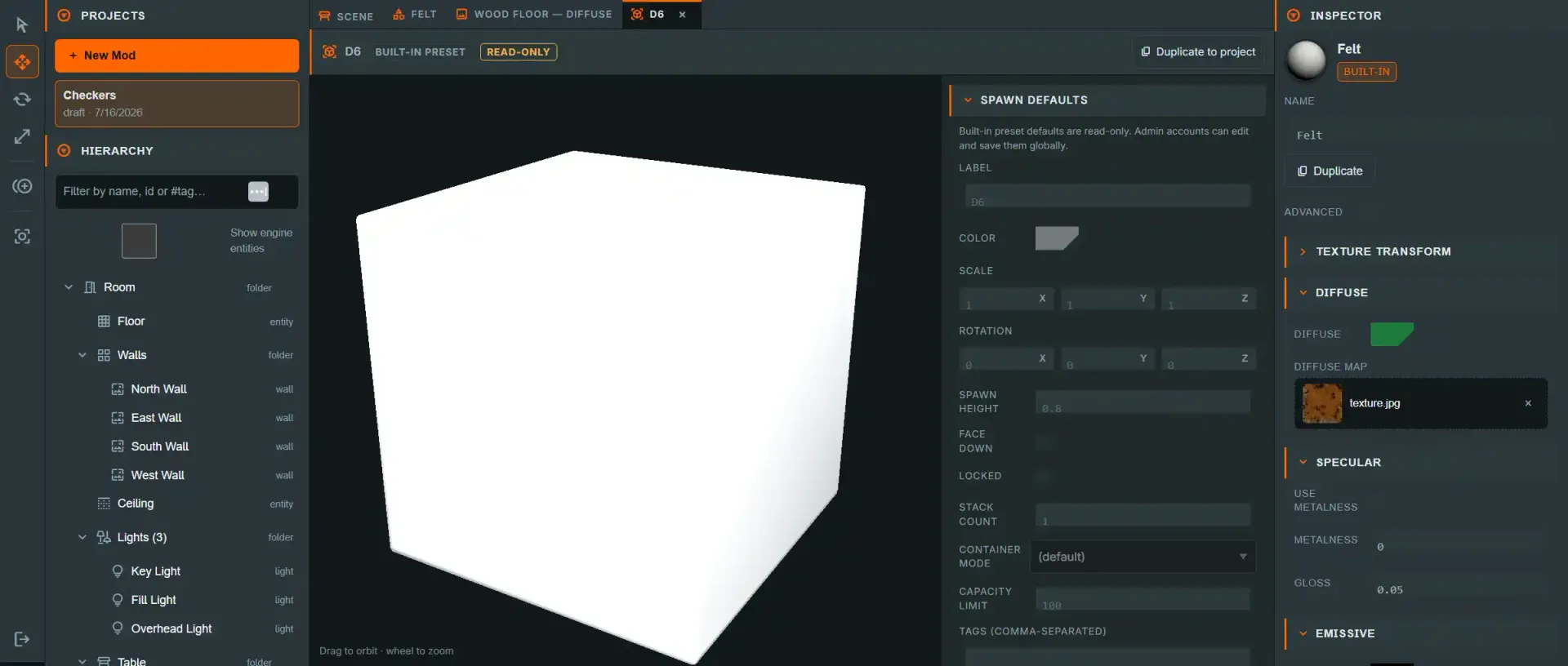
The tab strip#
Before the individual editors: every item you open — a model, a texture, a material, a deck, a script, a plain file — opens as its own tab, alongside the always-present Scene tab. A few conventions apply everywhere, not just here:
- Dirty dot. A tab with unsaved changes shows a small dot next to its label. Model, texture and file edits that write bytes in place (resize, optimize, replace) persist immediately and never mark a tab dirty; what can mark a tab dirty is an open image-edit session (the quick or advanced image editor), unsaved script/file text, or unsaved collider and trigger-volume edits waiting on the save bar.
- Closing a tab. Click its ×, middle-click the tab, or press Alt+W while it is
active. (Not Ctrl+W — browsers reserve that to close the whole browser tab, and
preventDefaultcan't stop it, so the shell doesn't pretend to support it.) - Cycling. Ctrl+Tab / Ctrl+Shift+Tab steps through Scene → tabs → Scene.
- Inactive tabs stay mounted. Switching to the Scene tab does not tear down an open
editor — it is hidden (
display: none), not destroyed, so a dirty Monaco buffer or an open preview session survives a round-trip through the viewport. Bodies only unmount when you actually close their tab. - Unsaved-changes guard. While any tab is dirty, closing the browser tab, refreshing, or navigating away prompts to confirm first.
Every item editor also renders read-only for a built-in preset unless you are an admin, with a Duplicate to project action that copies it into your project as an editable item. For a material, texture or model the copy is a linked copy, and its project tab opens.
The model tree#
The left rail is a read-mostly projection of the loaded GLB plus the two things this editor authors. Selecting a row opens its panel in the sidebar; selection is single-row only, and there is no drag-reorder.
| Row | What it is | Selecting it shows |
|---|---|---|
Meshes (N) |
One row per mesh in the GLB, with its triangle count. | A mesh panel — node address, triangles, vertices, primitives, and the materials it draws with |
Materials (N) |
One row per material, with its primitive count. | A material panel — which meshes use it, which project material is bound to it, and that material's own inspector |
Collision |
The authored collider list, one row per entry. | COLLISION |
Triggers (N) |
0–8 authored trigger volumes, with shape and #tag. |
TRIGGER VOLUME |
Components |
A readout of the engine components a spawned instance carries. | A component panel — the effective value, and a way through to the panel that owns it |
The root row is the model-level sidebar. Errors & stats, Collision, Trigger volume, Spawn defaults, Physics defaults and Optimize are what the model as a whole means, so they are what the root row shows. Selecting a mesh, material or component row swaps the rail to the panel about that row; Back to <model> at the top of it returns.
Material slots — the mesh↔material mapping#
A material row is a slot, keyed by the material NAME the GLB's mesh primitives carry. Its panel is where the model's textures actually come from, and it is worth knowing why:
- Importing a model strips its images out into project materials and texture files, and
records
source material name → material idin the model's.meta.json. That binding is what makes the model render textured; a slot bound to nothing falls back to whatever the stripped GLB still carries, which is usually flat white. - Bound to rebinds the slot to any project material, or clears it. The change is a sidecar edit like any other — it lands on Save.
- Below it, the bound material's full inspector is inlined — the same one the scene Inspector uses, writing to the same project material. Edits re-paint the model preview immediately, and every object already using that material along with it.
- Used by lists the meshes drawing with the slot, and a mesh panel's Materials list is the same relationship from the other side. Both are clickable, so you can walk the mapping in either direction.
Four things about it are deliberate and easy to misread:
Componentsmeans engine components and nothing else. A mesh is not a component, a collider entry is not a component, and a trigger volume is not a component. The folder lists the three a model asset determines —render,rigidbody(with body type and mass) andcollision(with the shape, and how many extra entries are authored). Thelight,cameraandscriptcomponents are absent because they are per-entity, not per-asset: a model sidecar cannot author one. The folder is a readout, the model-editor equivalent of the Inspector'sENTITY (ADVANCED)section — the editable fields live inCOLLISIONandPhysics defaults.Autois a real row, not an absence. A model with no authored collider shows one greyed, italicAuto (box, fitted to bounds)row. Click it and pick a shape to author one; it is a row precisely so there is something to click and something for the overlay to draw honestly.- A Draco-compressed model shows a note instead of mesh rows. The table renders those models perfectly — the editor cannot read their geometry without a decoder it does not ship. The tree says so in place of the rows; decompress the model outside the editor and re-upload to inspect it.
- The tree mirrors the model's GEOMETRY; it does not edit it. Adding, removing, renaming or reparenting a GLB's meshes is not something this editor does — each would mean rewriting the model's bytes and re-deriving every collider, trigger offset and material slot keyed to them. Re-export the model to change what meshes it has. What the tree does edit is everything layered on top: colliders, trigger volumes, spawn and physics defaults, and material slots.
Filter with the box at the top. It matches a row's name, its id and its type
token, case-insensitively; prefix the query with # to match tags only
(#goal-slot). The right-hand detail column — triangle counts, dynamic · 0.12 kg — is
deliberately not matched, because substring-matching formatted numbers makes a query like
0 hit almost everything.
COLLISION#
The collider is the shape physics actually collides with, and it is not the model's visible geometry. This panel authors a list of up to eight collider entries which the runtime assembles at spawn.
A one-entry list looks exactly like a single collider. With one entry there are no chips, no index and no "1 of 1" — the entry selector only appears once a second entry exists. The array is there so per-collider transforms are expressible and so convex decomposition can land later as data; the common case does not pay for it.
| Control | Values | Notes |
|---|---|---|
| Shape | Auto (per-kind default), Box, Sphere, Capsule, Cylinder, Convex hull, Triangle mesh (static only) |
Auto shows the fitted box's measured dimensions as a hint. |
| Name (optional) | ≤64 chars | Labels the entry in the tree and the chips. |
| Size (ft) | vector3, > 0 | Box only. Full dimensions, not half-extents. |
| Radius (ft) | > 0 | Sphere, capsule, cylinder. |
| Height (ft) | ≥ 0 | Capsule and cylinder. For a capsule this is the cylindrical section only — the panel prints the resulting total length, caps included, underneath. |
| Axis | X / Y / Z |
Capsule and cylinder. Defaults to Y. |
| Fit to bounds | button | Primitive shapes only. Needs measured extents, which a built-in preset does not have until you Duplicate to project. |
| Offset — centre (ft) | vector3 | Per-entry, from the entity's origin. |
| Rotation (°) | vector3 | Per-entry, Euler XYZ in degrees. |
| Scale | vector3 | A multiplier on top of the resolved dimensions. Primitive shapes only — greyed with a reason on a convex hull or triangle mesh (see below). |
| + Add collider / Duplicate / Delete | buttons | Capped at 8. Deleting every entry falls back to Auto. |
Every length is in feet and every angle in degrees, and each field says so. The world unit in DiceyTable is a foot; a playing card is about 0.29 ft wide.
Convex hull and triangle mesh#
Choosing either mesh-derived shape swaps the numeric fields for a decimation block:
| Control | Values | Notes |
|---|---|---|
| Collider model | a project .glb, or empty |
Empty is render mesh (live): the shape comes from the model's own meshes at spawn — no extra file, but no decimation either. Filled, the collider is built from that file instead. |
| Simplify (% of source) | 5–100 | Target triangle fraction. |
| Decimation | Quality (meshopt simplify) / Aggressive (simplifySloppy) |
A bake setting for this tab, not part of the sidecar. |
| Max error (mesh-extent fraction) | 0–1 | meshopt's error budget. |
| Bake collider | button | Always available. Writes the file and fills the slot with it. |
The collider model slot#
Collider model is a slot, like a material's texture slots, and there are three ways to fill it:
- Bake collider — writes a reduced collider beside the model and points the slot at it.
- Click the slot — a list of every
.glbin the project, with this model's own baked sidecar first, then everything else you have baked, then the rest. Re-using one collider across several models is a pick, not a second bake. - Drag a
.glbonto it from the asset explorer — a collider you modelled by hand, a low-poly stand-in, anything.
× empties the slot, which puts the entry back on the live render mesh. It does not delete the file (see below).
⚠ Only .glb. A .gltf is refused, in the list and on a drop, because the runtime checks
for the glTF magic bytes and would otherwise fall back to the render mesh with nothing on
screen to say why.
⚠ Meshes are used exactly as authored — node transforms inside the collider file are not applied. A bake produces a file with nothing to apply, so this only bites a model you picked or dragged in yourself: apply its transforms before exporting, and check the collider overlay in the viewport. If it is rotated or offset from the model, this is why.
⚠ Per-entry Scale does not apply to a mesh-derived collider, and the field is greyed to
say so. Bullet builds the hull from the raw model vertices scaled only by the object's own
scale, so there is nowhere for a per-collider scale to go. Offset and Rotation are
different — they ride the collision component's linear/angular offset and work for every
shape. To resize a hull, bake a resized collider GLB or use a primitive.
Bake collider writes a sibling file next to the model — strip the model's last extension
and append .collider.glb, so models/keep.glb pairs with models/keep.collider.glb — fills
the Collider model slot with it, and reports before → after triangles and the hull's
vertex count on the Result line.
⚠ Emptying the slot unpoints the entry; it does not delete the file. The .collider.glb
stays in your project tree, so an orphaned collider file will be published to GitHub on your
next Publish unless you delete it yourself from the file list.
The collider triangle budget#
A collider mesh is budgeted at 2,000 triangles, far below the render budget of 150,000, and
Errors & stats carries a Collider tris row so you can see where you are. Over budget, a
warning appears with a one-click Simplify to fit which decimates under the ceiling and
bakes in one go.
This is a real limit, not tidiness: the hull builder feeds every vertex of the source into the shape with no reduction at all, so a 40,000-vertex model becomes a 40,000-point hull and costs real time on every contact.
The three warnings this panel renders#
The runtime refuses or downgrades a mesh-derived collider in two situations, and it used to do so with nothing but a console line. The panel shows both before you commit, plus a third about the list:
- A triangle
meshcollider cannot be dynamic — the runtime falls back to a convex hull, which fills in every concavity. Set the body type tostaticto keep the triangle mesh. - Geometry that has not loaded yet is a pending state, not an error — it is styled differently for that reason, and resolves itself when the model attaches.
- A list mixing mesh-derived and multiple primitive entries only realises the first
primitive. A PlayCanvas
collisioncomponent is a single shape with no compound-of-primitives form. Mesh-derived entries ride one collider file and are realised in full, so a decomposed hull is fine — several boxes are not. The panel names the entries that will not be built; nothing is ever silently dropped.
There used to be a fourth: a model sitting under a non-identity transform had its mesh-derived collider refused outright. The runtime now bakes that transform into the collision vertices, so a nested or normalised model needs nothing authored around it.
Full detail on the first two, and how they interact with body type, is on COLLISION and RIGIDBODY.
Re-apply to N objects#
Most of what this tab edits changes only future spawns. When live instances of this model
are on the table, the panel offers Re-apply to N objects — a real count of instances of
this asset, hidden entirely at zero.
- Host only. It writes each piece's collider straight onto authoritative state, so a non-host sees the button disabled with a note saying why.
- Held and dragged pieces are skipped, and named. The result reads like "Re-applied to 7 objects (2 skipped — currently held: White Pawn, Rook)" rather than yanking a collider out from under somebody mid-drag.
- It covers the collider, the trigger volumes, and the three merge-semantic spawn
defaults —
tags,metadataand material slot bindings. Everything else in the spawn defaults form is future-spawns-only; see below for why.
What reaches entities already on the table#
Three spawn defaults — tags, metadata and material slots — are pushed onto live
instances of the model automatically when you press Save, as well as by Re-apply. Add
black to a model's tags, save, and every piece of that model already on the table gains the
tag; you do not have to delete and re-place them.
Your per-entity edits survive this. The merge is not an overwrite:
- a tag you added to one particular piece in the Scene inspector is never touched — the model's tags are added alongside it;
- a tag you remove from the model is removed from those pieces, because the object records which of its tags came from its model;
- a tag on both sides is simply one tag.
The first save after this feature shipped is purely additive on entities placed before it: they carry no record of what their model contributed, so nothing can be retired from them.
Project models only. A built-in preset's defaults stay future-spawns-only even for an admin, because a preset's effective tags include the ones the platform model ships with — pushing those onto live instances would change every table using that built-in.
⚠ Everything else is future-spawns-only, on purpose. Scale, rotation, color, face-down,
locked, stack count, container mode, capacity limit and every physics field are things you
routinely tune on one placed piece; pushing the model's defaults over them on every save would
destroy that work silently. Those still require a fresh spawn — or a deliberate Re-apply for
the collider half.
TRIGGER VOLUME#
A trigger volume is an invisible shape on the model that never collides and never affects
physics. It fires two events and that is the whole of what it does:
onTriggerEnter /
onTriggerLeave for a table script,
and the same two hooks
for a mod.
⚠ They do nothing at all unless a script or a mod subscribes. Authoring a volume on a model nobody wrote a rule for changes nothing. A volume never names code to run — the relationship runs one way, from the volume's geometry to a handler somebody registered.
| Control | Values | Notes |
|---|---|---|
| Name | 1–64 chars, required | The human label. Printed by handlers; not a key. |
| Shape | Box / Sphere / Capsule / Cylinder |
Primitives only — a containment test needs no hull. |
| Position (ft) | vector3 | The volume's centre, from the entity's origin. |
| Rotation (°) | vector3 | Euler XYZ, degrees. |
| Size (ft) | vector3, > 0 | Full dimensions for every shape. |
| Tag | optional | The identifier a script matches on. |
| + Add / Duplicate / Delete | buttons | Capped at 8. |
A dt:-prefixed tag is rejected inline, right under the field, and so is any tag outside
^[a-z0-9_-]+$. The dt: namespace is reserved for the platform and is not authorable here or
anywhere else.
Two things worth knowing before you size one:
- Containment is tested at the crossing entity's origin point, exactly as seat-zone membership is — so a volume the exact size of a card's footprint is a much smaller target than it looks. Err generous.
- Volumes have a ceiling. Unlike a seat zone, which is a footprint with no top, a trigger volume is a closed 3D shape: a piece lifted above it is outside it.
Field-by-field reference for the sidecar keys these controls write is on Sidecars.
CONTAINER INTERIOR#
A container's interior is where its cavity is: the volume a bowl, tray or bag can actually hold something in. It is not the collider and not a trigger — it is the empty space inside the model, declared as one primitive so the runtime can pack pieces into it, test whether a dropped piece landed in it, and build a collider around it.
The panel is collapsed by default and its title says Container interior (derived) until
you author one. It edits the model's containerInterior
key, which is per-asset authoring configuration on the .meta.json sidecar — or, for a
built-in, on the preset override — sitting beside collider and triggers and behaving
exactly like them: it is never replicated. Every peer resolves the cavity independently
from the same bytes, so it never appears in a snapshot and never costs bandwidth.
Why it is not just another trigger volume. It borrows the trigger's geometry conventions
and nothing else. A trigger volume is realised as a real physics trigger entity, with host-only
script hooks and an author-visible tag — none of which an interior wants — and the obvious
reserved marker for one, dt:container-interior, is refused by the author-tag rules by design.
An interior also feeds consumers that are not trigger events at all: the fill packer, the drop
footprint and the generated collider. What it does share is the resolver: the interior's
world geometry comes from the same function a trigger volume's does, called verbatim, so the
viewport overlay and the physics the table builds cannot drift apart.
| Control | Values | Notes |
|---|---|---|
| Shape | Box — a tray or a square well, Cylinder — a round pot, Bowl (sphere) — rounded floor, open rim |
Three shapes, not the trigger's four. A sphere is a bowl: the cavity opens at the top of the box you declare, so a squat size gives a wide-mouthed bowl. |
| Position | vector3 | The cavity's centre, from the entity's origin. |
| Rotation (°) | vector3 | Euler XYZ in degrees. |
| Size | vector3, > 0 | Full dimensions, never half-extents — the same convention a trigger volume uses. A cylinder takes its radius from the larger off-axis dimension and its height from Y; a bowl takes its radius from the largest half-dimension. |
| Fill level | slider, 0–1 | A fraction of the interior height above its floor. See below. |
| Fit to collider | button | Adopts the derived cavity verbatim and authors it — the fastest honest starting point. |
| Clear | button | Deletes the authored key and falls back to the derived cavity. Disabled while the cavity already is derived, because there is nothing to delete. |
Position and Size are lengths and follow your display unit (File ▸ Preferences — mm, cm,
m, in, ft or yd; the file always stores feet). Rotation is degrees and Fill level is a
fraction, so neither carries a unit. Under the fields the panel prints the resolved
cavity — bowl ⌀0.94 ft, cylinder ⌀0.82 ft × 0.8 ft high — read back out of the resolver
rather than from what you typed, which is what makes it worth reading.
The cavity is drawn in the viewport by the trigger-volume overlay (2), the same toggle
and the same wireframe pass; the panel tells you which state that toggle is in. Unlike
COLLISION and TRIGGER VOLUME, this panel has no Edit in viewport gizmo — the numbers and
Fit to collider are the whole of the authoring surface.
⚠ A built-in preset has no measured bounds until you Duplicate to project. Without them
the panel shows a one-line explanation instead of a row of zeroes, because a cavity is measured
against the model's collider bounds and there is nothing yet to measure.
Derived until you touch it#
A model with no authored interior still has a cavity. One is derived from the collider's
bounds — footprint inset 12 %, floor at 15 % of the height, top at the bounds' top (a container
is open, so its rim is its highest point), fill level 0.85, and Cylinder rather than Box
when the footprint is near-square and the collider is built from round primitives. The
derived cavity is always strictly inside the collider, so a fill drawn in it cannot poke
through the model — but it is visibly approximate, and the panel says Derived — author one
for an exact fit rather than pretending otherwise.
The first edit promotes it. Touching any field — or pressing Fit to collider — writes all
five keys at once, so the sidecar never holds a half-authored interior, and the (derived) in
the panel title goes away.
What reads the cavity#
| Consumer | What it does with it |
|---|---|
| The viewport overlay | Draws it, under the trigger-volume toggle (2). |
| The "looks full" fill | The heap an infinite container shows is packed inside the cavity, topping out at Fill level. |
| The drop footprint | Whether a released piece counts as landing in this container is tested against the cavity's footprint. |
Generate container collider |
Builds a closed shell whose inner surface is exactly this cavity and whose walls are thickened outward and downward, so a fast piece cannot pass through a paper-thin wall. |
The Inspector's holder Fill |
CONTAINER ▸ Fill spawns real pieces into the cavity — the single most common reason to author one. |
A Fill cannot work without a resolvable cavity, and a holder full of go stones is exactly
the case where the derived guess is not good enough: the pieces are placed where the cavity
says, so a cavity 12 % smaller than the bowl leaves a visible margin of empty rim. Author the
interior, then fill.
Fill level is what decides how high a fill goes#
Fill level is a fraction of the interior height measured from its floor, defaulting to
0.85. It caps both the visual "looks full" surface of an infinite container and an
authored Fill on a holder — the packer stops at the same plane. So if you asked for 180
stones and the panel reported "Placed 40 of 180 — the cavity filled up", the two numbers to
look at are here: the cavity's Size, and how much of it Fill level lets you use.
Generating the collider#
Generate container collider lives at the bottom of the COLLISION panel rather
than here, because what it writes is a collider. It requires an authored interior and says
so where the button would otherwise be: generating a shell around a 12 %-inset guess produces a
collider that fits nothing in particular. It replaces the collider list with one static
triangle mesh entry baked to <model>.collider.glb, through the same path as Bake collider.
Field-by-field reference for the sidecar key this panel writes is on Sidecars.
Edit in viewport#
The COLLISION and TRIGGER VOLUME panels both carry Edit in viewport and a live Gizmo mode selector — Move (W),
Rotate (E), Scale (R), mirroring the scene editor's rail for muscle memory.
Rotate is available for both trigger volumes and collider entries, because each carries its
own rotation for the drag to land in.
Dragging happens on the table viewport, not in the model preview — the preview presents through an offscreen buffer and has no pointer path a gizmo can use. So starting a session spawns a temporary preview instance of the model on the table:
- It is locked and non-grabbable, and excluded from snap resolution.
- It is filtered out of the snapshot entirely, so it never reaches another player and never reaches a save.
- It is torn down when you finish, close the tab, leave Edit Mode, or unload the page — and any orphan from a hard crash is reaped when you next enter.
The sidebar numbers and the gizmo are two views of one value. Typing in a field moves the gizmo; dragging the gizmo rewrites the field. Neither writes the sidecar — a drag lands in the tab's draft and still waits on the save bar.
Viewport toggles#
The toggle strip at the top-left of the model viewport turns overlays on and off. It is a view, not an edit: nothing here changes the model, the sidecar, or anything replicated.
| Toggle | Shortcut | Notes |
|---|---|---|
| Model | — | Off fades the model out entirely so only overlays remain. |
| Grid | — | Ground grid on the model's origin plane (local y = 0), sized from the framing radius. |
| Collider | 1 |
Wireframe of the resolved collider. |
| Trigger volumes | 2 |
Wireframe of every authored volume. |
| Pivot / origin axes | 3 |
|
| Bounds (AABB) | 4 |
|
| Rigidbody | ` |
A readout chip showing body type and mass — a HUD, not a wireframe. |
The overflow menu (the gear) repeats the list and adds three more controls:
| Control | Shortcut | Notes |
|---|---|---|
| Highlight selected row | — | Bright wireframe pass over whatever the selected tree row stands for: a mesh row highlights that one GLB node, a material row highlights every mesh drawing with it. Selecting the model root, a folder, a collider or a trigger highlights nothing — colliders and triggers already have their own overlays. |
| Shading — Shaded / Wireframe / Normals / UV checker | 5 / 6 |
A radio, one of four. Normals and UV checker are diagnostics and are deliberately left unbound rather than crowding the digit range. |
| Opacity | — | How far the model fades while an overlay is drawn over it. Defaults to 60%. |
Shortcuts are ignored while a text or number field has focus, and none of them collide with
the shell's Q / W / E / R transform hotkeys — digits and the backtick are unclaimed at
the window level.
⚠ These toggles are not the table's debug overlays. The Room node's DEBUG VISIBILITY
section is room-level table state with a different scope and a different audience; this bar is
per-tab UI state remembered in localStorage for you alone. Changing one never changes the
other. See The Viewport.
Spawn defaults: .meta.json sidecar vs. admin preset override#
This form sets what a model spawns as — its piece type and surface, its default color, rotation, scale, spawn height, face-down/locked state, shadow participation, stack count, container mode, capacity limit and tags — but the mechanism differs by where the model comes from, and the two never compete for the same item:
- A project model's defaults live in a
<name>.meta.jsonsidecar stored next to the GLB in your mod's file tree (so it travels with the mod to GitHub and to every peer). Editing this form writes to that sidecar; the spawn path reads it when building the object for a custom model. Tags, metadata and material slots additionally reach entities that are already on the table — see What reaches entities already on the table. - A built-in preset's defaults are the shipped values, optionally patched by an admin preset override. Only admins can edit a preset's defaults, and only in place here — everyone else sees the built-in (plus any active override) as read-only, with Duplicate to project as the way to get an editable copy.
Because a project model is never also a STANDARD_OBJECT_PRESETS entry, there is
nothing for the two mechanisms to disagree about — a given model is spawned through
exactly one of them. What does have a "which wins" answer is how an admin override
itself is published: Save globally writes it to the preset_overrides database table
(admin-only, RLS-enforced); on a local dev server, Write to source additionally
writes it into apps/web/public/preset-overrides.json, which ships with the next deploy
as the bundled default. When both exist, the database row wins — overrides are layered
bundled defaults ← the bundled overrides file ← database rows, so a later database
edit always beats what shipped in the file.
Type and Surface#
Type is what kind of piece the model spawns as — die, token, board, card-holder,
custom and so on — and Surface is what it is physically made of: wood, cardboard,
metal, plastic, card, tile, generic or silent. They are the same two dropdowns the
Table Editor's PIECE panel shows for a placed piece, moved to where the model itself is
edited, so you classify a model once, before placing it instead of on every drop.
They are not cosmetic. Type decides which actions and sound events a spawned object has at
all — a model classified as die can be rolled and reports a face value; one classified as
board is static and never makes a pickup sound. Surface picks the impact sounds and
re-derives the physics baseline underneath: changing it rewrites Mass, Friction,
Bounce and the damping values in the Physics panel from the surface's density and the
model's scale. Tune any of those numbers afterwards and your values are kept — the re-derive
only happens when you change Type or Surface.
Leaving them alone is the old behaviour exactly: an unset Type means custom, and an unset
Surface resolves from the Type. Neither is a clip id and neither is a render material — the
material a mesh renders with is bound per slot, further down the tree.
This is a model default, like the two shadow switches below: a piece already on the table keeps whatever it was spawned with, and Edit Mode's PIECE ▸ Type / Surface still overrides it for that one piece. Reclassifying here changes future placements, not existing ones.
Project models only. A built-in preset's type is part of its identity — a Standard Die is a die — so the preset editors show it read-only, for admins too.
Cast shadows / Receive shadows#
Both default to on. These are the model's default — an individual object on the table can override either one, and the object's setting always wins. The full order is per-object override → this model default → on, so leaving both switched on here still lets one particular placement opt out.
Turn Cast shadows off for scenery that should be lit but shouldn't throw a shadow — a backdrop, a wall-mounted sign, a large flat mat that would otherwise darken everything it sits on. Turn Receive shadows off for anything self-illuminated that looks wrong with shadows falling across it.
These are a rendering choice, not a performance lever, and they are not where table performance comes from — the runtime already skips rebuilding the shadow map entirely while nothing is moving. Switch them off because a piece looks better without a shadow, not to make the table faster.
Scale, and why an imported model can arrive enormous#
A world unit is a foot. The play surface is about 4 ft across and the room is 18 ft, so a model authored 10 units wide spawns as a 10-foot object and swallows the table.
Import deliberately keeps a model at the size it was authored — normalising every import to a unit cube would distort anything that isn't square — so getting the size right is an authoring step, and the inspector warns you when a model is over 4 units across, with a suggested scale.
Fix it here, once, rather than rescaling each placement: set Scale to the suggested value and every future drop of that model arrives correct, for you and for anyone who loads the mod.
The model preview applies Scale as you type, before you save, so you see the proportions the piece will spawn with. The model's thumbnails and the Inspector preview follow the saved sidecar, including its bound slot materials.
Do this before baking static lighting — the lightmap is baked against the object as placed, so a later rescale invalidates it.
Static scenery#
Marks the model as permanently-static scenery whose lighting may be baked into a lightmap — a shrub, a planter, a fixed backdrop, a board that is part of the room rather than part of the game. Off by default, and deliberately opt-in rather than inferred.
"Is it static right now" would be the wrong test: a card resting in a hand zone is static and moves seconds later. Baking is a photograph of where the model is, so a baked object that later moves leaves its contact shadow behind on the floor. Being wrong in the not-baked direction costs a little visual quality; being wrong the other way leaves a permanent artefact.
The runtime protects you anyway — if a baked object is moved, it drops straight back to realtime lighting and you re-bake when you're done arranging.
Two things to know:
- It needs lightmap UVs. A model without
TEXCOORD_1is skipped at bake time and counted in the Bake button'sno UVstotal. Run Generate lightmap UVs (below) first. - The flag lives on the model, not the placement. The same model dropped twice is flagged for both. If you need one copy movable, duplicate the model.
Baking itself is triggered from the Room panel's Static lighting → Bake, and is local to your client — lightmaps are never replicated, and each peer bakes its own.
The form also carries an optional Physics defaults group (sidecar-only — presets have no physics override slot): body type, mass, friction, restitution and damping, applied as a per-object physics override at spawn time.
⚠ Collision shape is no longer in Physics defaults. The authored collider list
supersedes it, and having both would mean two controls writing the same thing with different
expressiveness. A model that already carries a legacy collisionShape value keeps it — it is
projected into the collider list for display, with no migration and no rewrite of your
sidecar until you save a change.
The save bar#
The bar along the bottom is the single commit affordance for the tree, both new panels and
the defaults form alike. The old per-panel Save defaults, Save globally and
Write to source buttons inside Spawn defaults are gone; everything commits here. It has
four states:
| You are editing | The bar says | Actions |
|---|---|---|
| A project model | Saved to <path>.meta.json in the mod tree — plus will publish to GitHub on your next Publish once saved |
Revert, Save |
| A built-in model, not an admin | Built-in model — collision settings are read-only. | Duplicate to project |
| A built-in model, admin, production | Built-in model · Admin — writes a preset override row (Supabase, admin-gated by RLS). Applies to everyone on next spawn. | Save globally |
| A built-in model, admin, localhost | The same, plus a note that Write to source writes apps/web/public/preset-overrides.json on this machine so you can commit it |
Save globally, Write to source |
The bar highlights itself and shows unsaved changes while the draft differs from what is stored.
⚠ Write to source now requires a signed-in Supabase admin, verified on the server. It was
previously gated only by loopback and a cosmetic client-side check. A missing, malformed or
expired token, a non-admin account, or a Supabase outage is a 403 — it fails closed rather
than falling through to allow. With SUPABASE_URL unset the server falls back to loopback-only
and logs a loud warning on every write, so offline development still works.
Note also that an admin editing a built-in model in production can change collider settings, because those are JSON. A baked collider is bytes, and bytes ship with a deploy — so baking is a project-model and local-dev activity.
Errors & stats#
Errors & stats (project models only) is fed by parsing the GLB directly — it reports
triangle and vertex counts, mesh/primitive counts, material count, embedded texture count
and byte size, the file's total size, and the Collider tris figure described above.
Re-inspect re-runs the parse. Two findings are worth knowing in advance:
- A Draco-compressed model always reports empty stats and a warning, even though the
table itself renders it fine — the runtime can decode
KHR_draco_mesh_compression, but the item editor's own tooling cannot (it would need adraco3ddecoder the editor doesn't ship). Inspection findings, the model tree's mesh rows and every Optimize action are unavailable until the model is decompressed outside the editor and re-uploaded. - Every triangle count over 150,000 and every embedded texture side over 2048px raises an actionable warning rather than a hard error — high but not necessarily wrong for every use.
ORIGIN#
A model's origin is the point everything else is measured from: the gizmo you drag, the
offset on a collider entry, the centre of a trigger volume, and — on the table — the point a
snap test and a trigger test use to decide where the entity is.
Imported and split models frequently arrive with an origin nowhere near their geometry, because a GLB records whatever the artist happened to model around: the source scene's origin, an exporter's world centre, the middle of a whole chess set rather than the piece you extracted. When that happens the viewport shows the origin marker, the bounds box and the collider all sitting away from the model, and every number in COLLISION and TRIGGER VOLUME is measured from that empty point.
The panel shows the model's geometry base — the offset from the current origin to the bottom centre of the model — and offers three ways to fix it:
- Recenter origin puts the origin at the bottom centre of the model's bounds: X/Z centred, with the geometry resting on it. This is the one you want almost always. It is disabled when the origin is already there, and the panel says so rather than staging an edit that changes nothing.
- Origin to centre puts the origin at the middle of the bounds instead. Use it for something that rotates about its own middle rather than standing on a surface — a spinner, a dial, a prop that floats.
- Move origin to X / Y / Z places it anywhere you like — a hinge on a door's edge, the foot of a banner pole.
⚠ Those three numbers are a point on the model, not a move of the model. You name the spot that should become the origin. Typing the coordinates of the model's base moves the origin down to the base; it does not move the model up. (This is the one thing that is easy to get backwards, and the sign is the opposite of what "move" suggests.)
Origin edits are staged exactly like Optimize actions — before → after, Apply, Discard, and Revert to original. Triangle and vertex counts are shown unchanged on purpose: moving an origin repositions the geometry and adds or removes nothing.
The geometry itself is rewritten. A model can carry its position either in its vertex data or in a node transform, and this always chooses the former: it is the shape every other step in the pipeline produces (import, Clean up and Split all bake transforms into geometry), and it is what a mesh or convex-hull collider is built from. Because the vertices are rewritten, moving an origin and moving it back lands within rounding rather than on the original bytes — Revert to original is the exact undo.
That is also why Recenter origin stays available for a model that already looks centred. A model can sit perfectly on its origin and still hold that position in a node transform, in which case its raw vertices are somewhere else; the panel says so, and recentring bakes the transform into the geometry.
Apply, then Save. Applying writes the geometry; saving the tab records
originAuthored in the model's .meta.json, which is
what tells the runtime the origin is deliberate. Until you save, the table still rests the model on
its own bottom centre — so a Recenter looks identical either way, but a hand-placed origin will
not survive the trip to the table.
Models produced by Split into parts are written bottom-centred with that flag already set, so the pieces of a split scene line up without any of this.
ORIGIN is unavailable for preset models, like the rest of the model-rewriting actions.
Optimize: Apply, Discard, Revert#
Optimize actions run against your model's current bytes and stage a result rather than writing it immediately:
- Pick an action — Clean up (weld + dedupe + prune, the same pass model import runs), Simplify to N% (mesh decimation at a ratio you set), Re-encode textures (WebP) (needs canvas WebP encoding, unavailable in Safari — use Chrome/Edge/Firefox), Recompute normals (faceted), Generate tangents, or Generate lightmap UVs.
- The panel shows before → after triangles, vertices and file size for the pending result.
- Apply writes the new bytes in place; Discard throws the result away and leaves the model untouched.
Before the first Apply on a model, the editor automatically preserves your untouched
bytes under originals/<stem>.glb in the project tree — that is what Revert to
original restores from. Until that first Apply happens, there is nothing to revert to,
and the panel says so.
Delete original removes that preserved copy. The panel shows its size beside the button, because it is often the largest file in the whole project — the untouched import is routinely several times the optimised model that actually renders, and it is hidden from the project folder, so it is easy to forget it is there at all. Deleting it is confirmed: it is the only copy of the pre-optimisation bytes, so Revert to original and Re-encode from original stop being available until the next Apply stores a new one.
Preserved originals over 8 MB are not published. They ship to nobody — nothing declares them, no player downloads them, and the pack renders identically without them — so rather than fail a publish over one, the push leaves it behind and the Problems panel says which file and why. The practical consequence: an oversized original lives in this browser only. Revert still works here, but not after Reset local copy and not on another machine, where you would re-import the source file if you need it. Smaller originals are published normally and follow you between devices.
Optimize is unavailable for preset models (their files ship with the app and aren't rewritable from here) and for models the inspector couldn't parse (Draco-compressed ones, per above).
Removing parts of an imported model#
An imported scene often carries geometry you do not want — signage, props, a camera rig, posters baked into the room. List parts reads the model's top-level parts; check any and Remove deletes them, sweeping the meshes, materials and textures they were the only user of.
Two things this clears up, because both have caused real confusion:
- Geometry inside a model is not a room object. A poster modelled into your scene GLB is not a wall poster — it will not appear in the Hierarchy, hiding the wall behind it will not hide it, and nothing in the room panel can remove it. This is where you remove it.
- It is staged like every other Optimize action. Discard throws it away, and Revert to original restores the untouched upload, so deleting geometry is undoable.
Removing every part is refused: an empty GLB is not a model.
Simplify: the ratio is a target, not a promise#
Simplify has two controls, and the second one is usually why the first appears to do nothing.
| Control | Values | Notes |
|---|---|---|
| Simplify ratio | 0.05–1 | The triangle fraction you are aiming for. |
| Simplify quality | Preserve shape (may stop early) / Balanced / Hit the target (may distort) |
The error budget the decimator may spend to get there. |
The decimator stops as soon as it has spent its error budget, whatever ratio it has
reached. So on a curved or hard-surface mesh, Preserve shape can stall at 37% of the
source when you asked for 25%, and asking for 10% instead changes nothing — the budget, not
the ratio, is the binding constraint. Choose Hit the target when you want the percentage
honoured and can accept the distortion.
Two further things Simplify will tell you in the pending result, both of which look like "Simplify is broken" when unexplained:
- Parts under 24 triangles are never touched. A scene assembled from many small
objects — an imported room, a kitbash — is hundreds of independent primitives, each
decimated on its own and each too small to collapse. Such a model can come back
completely unchanged at every ratio. That is the correct answer, and the panel says how
many parts were skipped. This floor is also a safety rail: at
Hit the target, without it, the decimator collapses small boxes to nothing and deletes them. - File size can barely move while triangles fall sharply, because a scene GLB is mostly texture bytes. Use Re-encode textures to shrink the file; Simplify shrinks the mesh.
If any part collapsed to nothing and was removed, the result says so with a ⚠ — raise the ratio or pick a gentler quality if that geometry mattered.
Generate lightmap UVs#
Baked lighting needs a second set of texture coordinates (TEXCOORD_1) laid out so no
two triangles overlap. Almost no authored GLB ships one, so the Model tab shows a
missing lightmap UVs note on most models — that note is informational, not a problem
to fix. Moving pieces never need this. Only permanently-static scenery — a room, a
fixed board, a backdrop — is ever baked.
Running it packs every triangle in the model into a single atlas and writes the new UV set. Two consequences worth knowing before you Apply:
- Vertex count goes up, typically 10–15%. Charts have to be split apart at their seams, and the vertices along a seam get duplicated.
- It is slow, and cost grows faster than model size — roughly a second at 16k triangles, but around 18 seconds at 160k. It runs off the main thread with a progress readout, so the editor stays responsive, and the panel reports the atlas size and how efficiently it packed before you commit.
This is why it is a manual action rather than something import does for you: it would add seconds to every card, die and token import for a feature only scenery uses.
Models with morph targets are skipped rather than unwrapped, and reported as skipped — remapping per-target deltas across new seams isn't supported.
Optimize and Bake collider are different things. Optimize rewrites the render model in
place, at the 150,000-triangle budget, and is undone by Revert to original. Baking writes a
separate .collider.glb at the 2,000-triangle collider budget and leaves the render model
byte-identical — which is exactly what the originals/ machinery depends on.
Embedded-texture replace#
The Embedded textures list shows every texture packed inside the GLB — name, dimensions, byte size. Replace on any row swaps that texture's image data in place (PNG or JPEG only) and re-encodes the GLB, going through the same Apply-preserves-the- original path as an Optimize action, so Revert to original also undoes a texture replace.
See also#
- COLLISION — the same collider concepts from the per-entity Inspector's side, and the three refusals in full.
- RIGIDBODY — why
Staticis what keeps a triangle mesh. - CONTAINER — the Inspector panel whose
Fillaction spawns pieces into the cavity this editor authors. - Sidecars — the
collider,triggersandcontainerInteriorkeys this editor writes, field by field. - Moving, Rotating and Scaling Entities — the gizmos
Edit in viewportborrows. - Item editors: Texture
- Working with models
- IDs, Names and Tags — spawn defaults set an
entity's initial
label, tags and transform, not its identity